Boost Your Quoting Accuracy with a Tradie Job Photo Annotation App
Mark up site photos fast with a tradie job photo annotation app. Improve communication, document progress, and prevent disputes on every project.
Quick answer
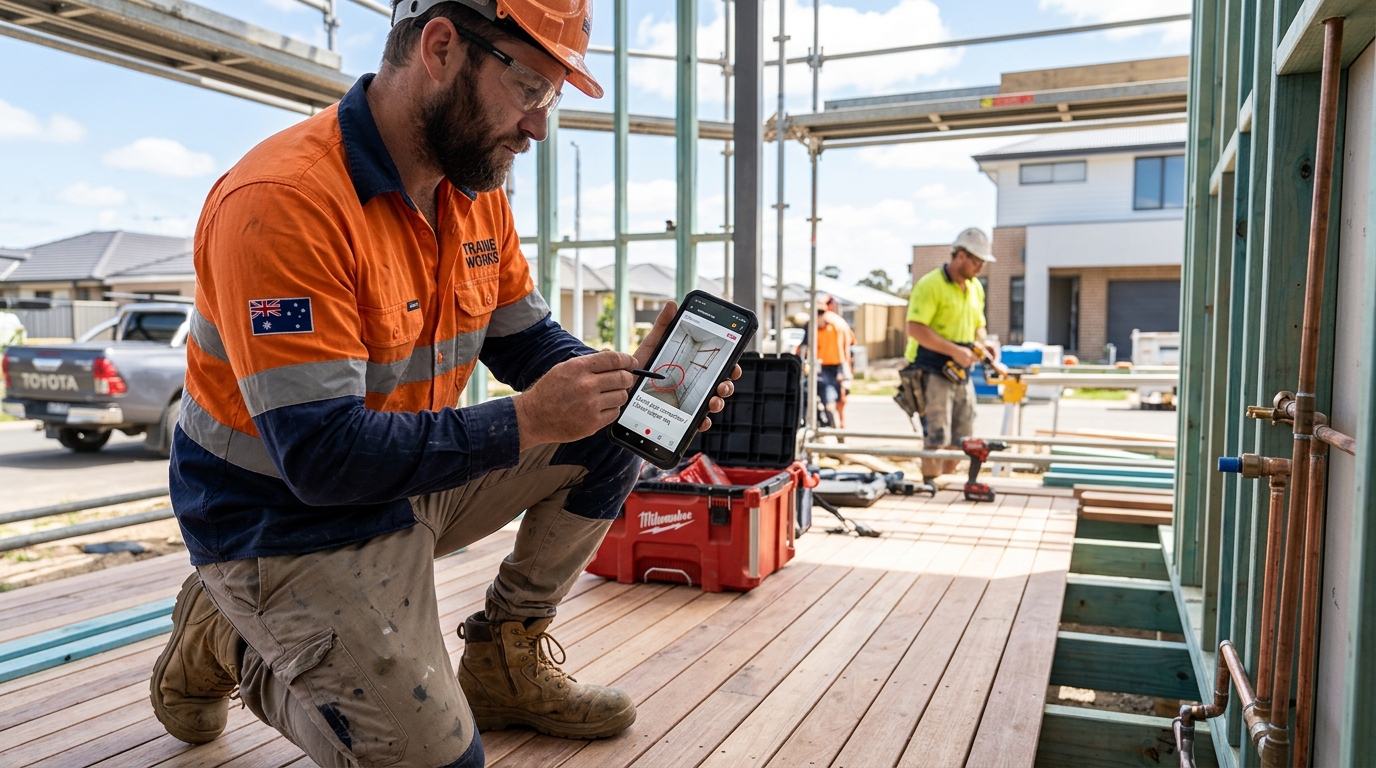
A tradie job photo annotation app lets you mark up site photos with arrows, text boxes and shapes right on your phone, so clients, subbies and suppliers see exactly what you mean without another site visit. Annotated evidence can help process a building insurance claim around 20% faster, and decent apps cost $15-$25/month AUD, cheap against the hours of back-and-forth it saves each week.
Why a Tradie Job Photo Annotation App Saves You Time and Prevents Headaches
Miscommunication and forgotten details on site are costly. A tradie job photo annotation app fixes this by letting you mark up photos directly, making sure everyone – clients, subbies, and suppliers – is on the same page. This clarity prevents rework, reduces arguments, and keeps projects on schedule. By highlighting specific areas of concern or approval on an image, you cut down on phone calls and site visits needed to explain things. Think of it as a clear visual instruction set, saving you around two to three hours per week just in clarification time, letting you get on with the actual work.
Essential Features for Any Job Photo Markup Tradie App
When picking an app for job photo markup, focus on simple, effective tools. You need features like arrows to point out specific items, text boxes for adding measurements or notes, shapes to highlight areas, and basic drawing tools. The best apps allow quick mark-ups right on your phone or tablet while you're on site, not later in the office. Look for the ability to draw precise lines, circles, and add text that's easy to read. Some apps even integrate with digital measuring tools, like a Bosch GLM 50 C laser measure (around $200), allowing you to embed dimensions directly into your annotated images. Usability on a sunny site is key, so good contrast and large, clear icons are a must.
Documenting Defects and Damage with Photo Annotation for Builders
Clearly documenting defects or existing damage before you start work, or as it arises, protects your business. A photo annotation app is perfect for damage photo annotation, providing irrefutable visual proof. If a client disputes existing damage or claims new damage occurred on your watch, a date-stamped, annotated photo showing the issue beforehand is your best defence. This is crucial for builders dealing with insurance claims or variations. For example, when inspecting wet areas, you can mark specific areas that don't meet AS 3740 standards directly on the photo, showing exactly why a repair or replacement is needed. This level of detail removes guesswork and strengthens your position.
Streamlining Communication with Annotated Images for Clients and Subbies
Sending marked-up photos is the fastest way to eliminate confusion on site and with your clients. Annotated photos clarify instructions for sub-contractors, highlight client decisions, or show variations that need approval. Instead of long emails or phone calls trying to describe an issue, a simple photo with an arrow pointing to the exact problem, or a text box explaining a change, gets the message across instantly. This leads to faster approvals, less back-and-forth, and fewer mistakes. Apps like QuoteMate allow you to export these annotated images as part of your PDF quotes or invoices, ensuring all parties have clear visual records in under 30 seconds.
Using Annotation for Insurance Claims and Project Handovers
Detailed photo annotation speeds up insurance assessments and simplifies project handovers. For builders, a tradie job photo annotation app is invaluable when preparing for an insurance claim, providing specific visual evidence of damages, their extent, and precise locations. This helps adjusters assess the claim accurately and often much faster. Similarly, for project handovers, annotated photos serve as a comprehensive visual record for the client or future trades, documenting everything from material placements to specific instructions. Clear photographic evidence can help process an average building insurance claim around 20% faster. You can find more information on handling disputes and claims through consumer protection bodies like the Financial Rights Legal Centre at financialrights.org.au.
Organising Your Project Photos for Easy Retrieval and Record-Keeping
Having a system for organising your project photos means you can find what you need, when you need it. A good tradie job photo annotation app should allow for easy tagging, categorisation, and cloud storage integration. This way, every photo, once annotated, is automatically sorted into the correct project folder, date-stamped, and often geo-tagged. No more scrolling through hundreds of generic photos to find that one detail. For audit purposes, client queries, or future reference, being able to pull up a specific, annotated image in seconds is priceless. A typical project with 100 annotated photos will only take up about 50MB of cloud storage, making it incredibly efficient.
Choosing the Right Tradie Job Photo Annotation App for Your Business
When picking a tradie job photo annotation app, choose one that’s simple to use, integrates with your current workflow, and keeps your photos organised. Look for apps designed with a mobile-first approach, meaning they work flawlessly on your phone or tablet even with dusty hands. Offline capabilities are handy for sites without reliable signal. Secure cloud storage is a must for backing up your important visual records. Consider how it fits with your existing quoting and invoicing software; an app that can integrate or at least easily export photos to your quoting platform, like QuoteMate, will save you double-handling. Many premium annotation apps designed for tradies start around $15-$25/month AUD per user, offering excellent value for the time and disputes they save.
Pro Tips
- Always timestamp your photos to prove when they were taken.
- Annotate photos on site immediately, don't wait until you're back at the office.
- Use consistent colour coding for annotations: red for issues, green for approved elements.
- Standardise annotation symbols and text with your team for clear communication.
- Regularly back up all project photos to cloud storage daily.
- Take clear 'before' and 'after' shots to document work completed or changes.
- Include a common object for scale in damage photos (e.g., a coin, tape measure).
- Get client sign-offs on annotated variation photos via email or digital signature.
Quote This Job in Under 2 Minutes
Skip the spreadsheet. QuoteMate’s AI pulls real-time supplier prices and generates a professional PDF quote you can send on the spot.
Or try it on the web →Related Trade
More Guides
- How to Quote Paving Installation: Nail Your Numbers Every Time
- How to Quote Carpet Cleaning for Tradies: Avoiding Common Traps
- Nailing Your Margin: How to Quote Bathroom Tiling Jobs Correctly
- Mastering How to Quote a Garage Door Replacement Accurately
- How to Quote Outdoor Kitchen Build Projects: A Tradie's Guide to Profit
- How to Quote Window Replacement: A Tradie's Guide to Accurate Estimates
- How to Quote Commercial Cleaning Jobs: Setting Fair Rates in Australia
- Choosing the Best Tradie Job Management App for Your Business